How CoreWAF works
CoreWAF blocks bots, attacks and junk traffic from inside your own site.
From zero to protected in minutes.
No DNS migration, no new networks, no support tickets with your hosting provider.
-
1
Create your account
Sign up and add the domain you want to protect. The free trial starts automatically.
-
2
Connect your site
One single line in your site and CoreWAF goes live. No DNS, no TLS termination on the way.
-
3
Monitor and refine your rules
Hit "Deploy" and rules apply in seconds. Watch hits, blocks, IPs and agents in real time.
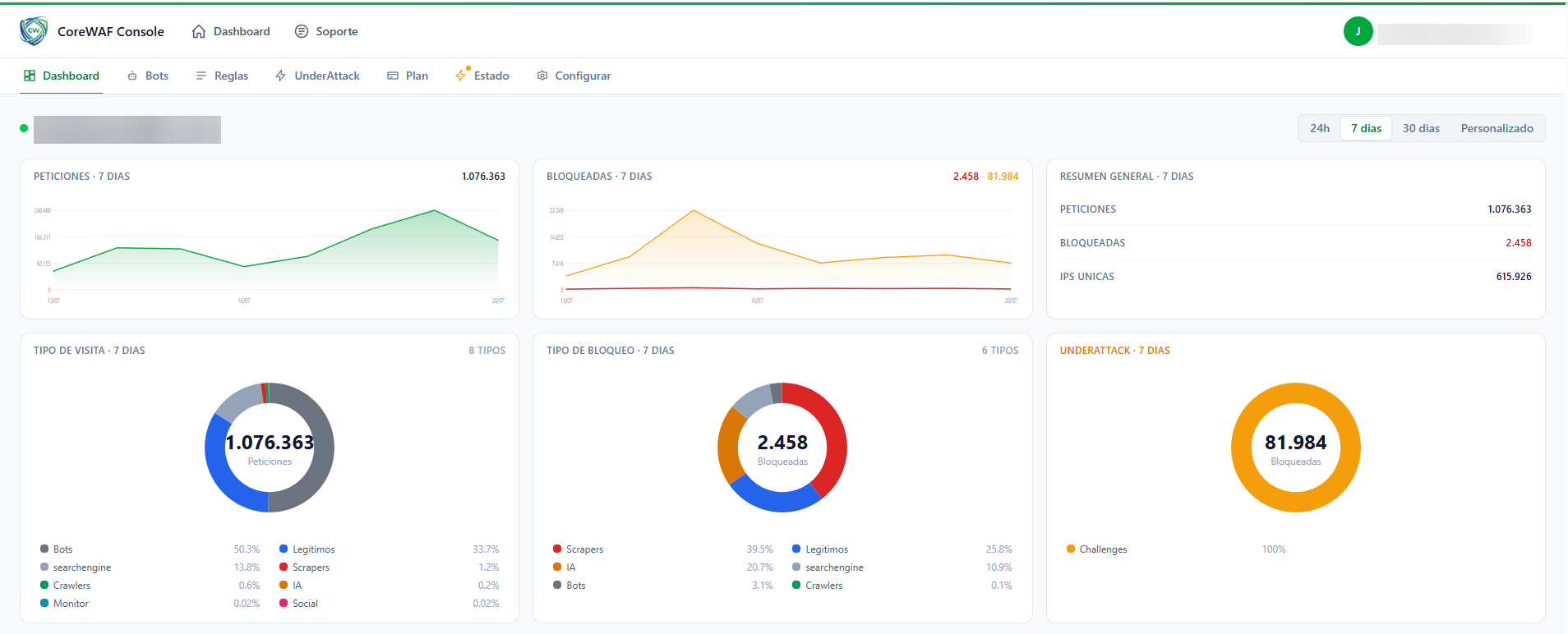
Real-time dashboard
The dashboard shows requests, blocks, unique IPs, visit type and Under Attack status. Everything filterable by 24 hours, 7 days, 30 days or a custom range.
Spot traffic spikes, ongoing attacks and the mix of legitimate users, bots, search engines and AIs hitting your site.
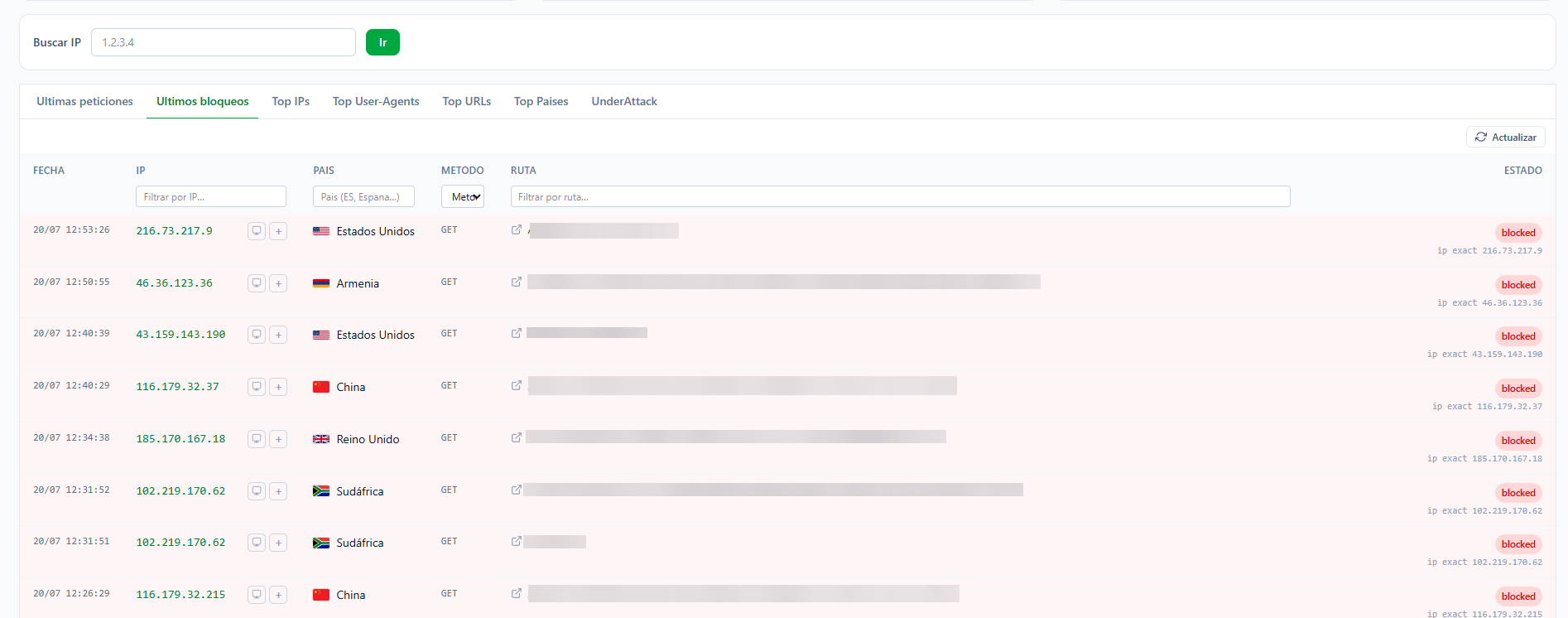
Every block, one row
Review the latest blocked requests with date, IP, country, method, URL and reason. Spot a pattern? Add the IP or range to your blacklist in one click.
The log lets you audit what CoreWAF blocks and fine-tune your rules without guessing.
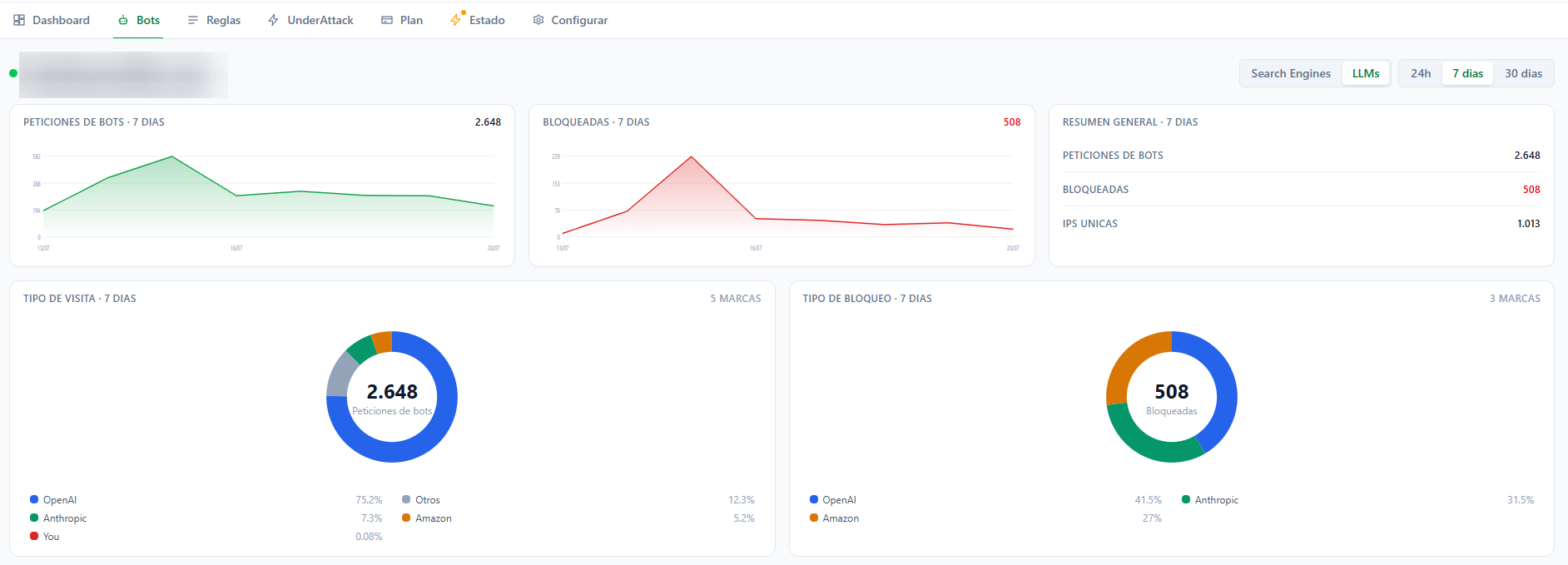
Bots and AIs under control
We classify every visit: search engines, LLMs, scrapers, crawlers and generic bots. See which AI and bot brands consume your bandwidth and how many requests you block.
Decide which bots can enter and what stays out. Even scrapers from OpenAI, Anthropic and Amazon are broken down.
Rules your way
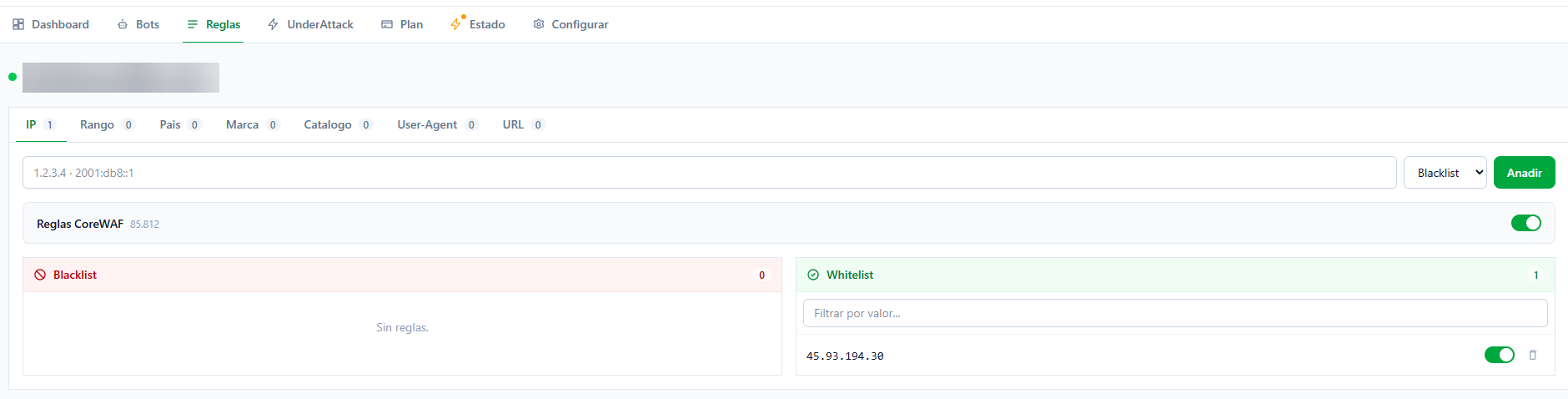
Create rules by IP, CIDR range, country, brand, catalog, User-Agent and URL. Exact operators: contains, starts, ends and exact. No complex regex.
Whitelist has absolute priority: anything you mark as legitimate is never blocked, no matter what.
Automate it: API and MCP server
Everything the panel does, the API does: query traffic and bots, add and remove rules, switch on Under Attack or check the agent status. One token per site, or an account token to manage them all.
And if you work with AI assistants, CoreWAF ships an MCP server: connect the token to Claude and ask it in plain language to block an IP, tell you who is attacking you, or turn on Under Attack.
curl https://console.corewaf.com/api/v1/stats/general?date=24h \
  -H "Authorization: Bearer cwf_live_..."

# 9,087 requests, 17 blocks in 24 h{
"mcpServers": {
"corewaf": {
"type": "http",
"url": "https://console.corewaf.com/mcp",
"headers": { "Authorization": "Bearer cwf_live_..." }
}
}
}Under Attack: full block in one click
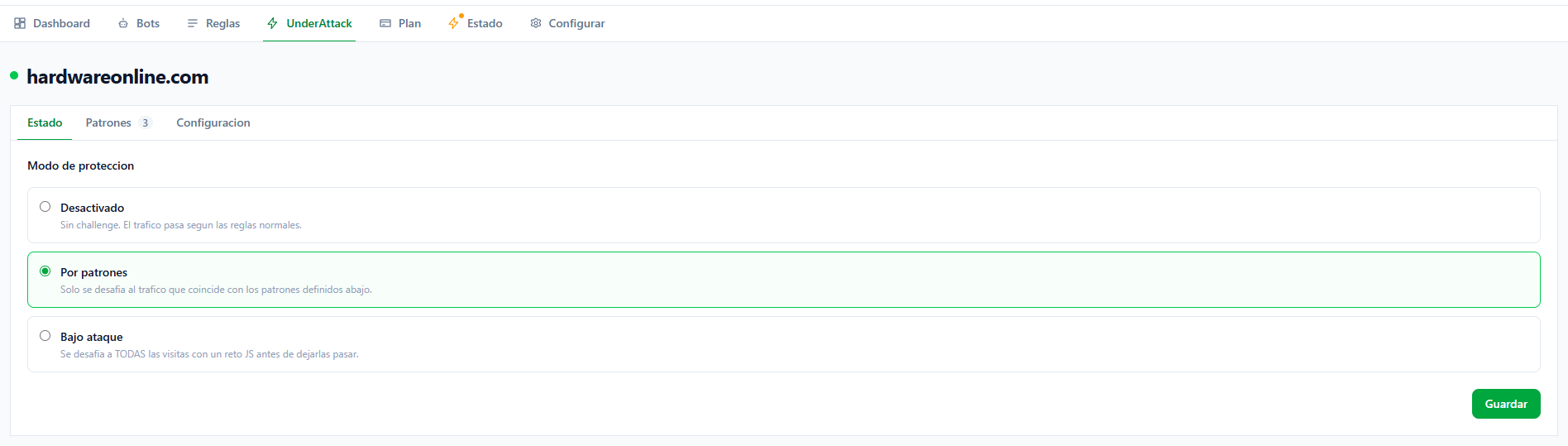
When under attack, enable Under Attack mode. CoreWAF challenges every visit with a JS challenge before letting it through, except your whitelist.
Turn it on when the storm hits and off when it passes. No individual rule changes, no restarts.